






Scheduling a sports event manually is the kind of task that quietly eats up your whole weekend. The combinations grow faster than expected. Conflicts tend to surface only after the schedule is already published, and if a single constraint was left out, you are back at the beginning. There's a better way to get it done, and it starts with knowing what to feed a sports schedule generator before you ever hit run.
Executive Summary:
- A sports schedule generator turns team names, dates, and venues into a ready-to-use fixture list without manual math.
- Round robin gives every team an equal number of matchups; an 8-team field produces 28 games, a 12-team field 66.
- Confirm your generator handles venue assignment, home/away balance, live standings, and mid-event changes before you commit.
- Free options work for events under 12 teams, one venue, one division, and no real-time standings needs.
- Fastbreak AI for tournaments builds schedules around your divisions, guaranteed games and venue hours, flags any rules that conflict and sends updated schedules to coaches and families through the Fastbreak App.
What a Sports Schedule Generator Does
A sports scheduling app takes raw inputs like team names, available dates, venues, and format rules, and produces a ready-to-use fixture list without manual calculation. Instead of building a spreadsheet row by row and hoping nothing overlaps, you feed the generator your constraints and it handles the math.
The core problem it solves is combinatorial: even a 10-team field produces 45 possible pairings, and fitting those games into limited venue windows while keeping the schedule fair is harder than it looks. A generator works through those combinations automatically, so you get a balanced schedule in minutes instead of spending a weekend on it.
Here are the most common schedule formats a generator can produce:
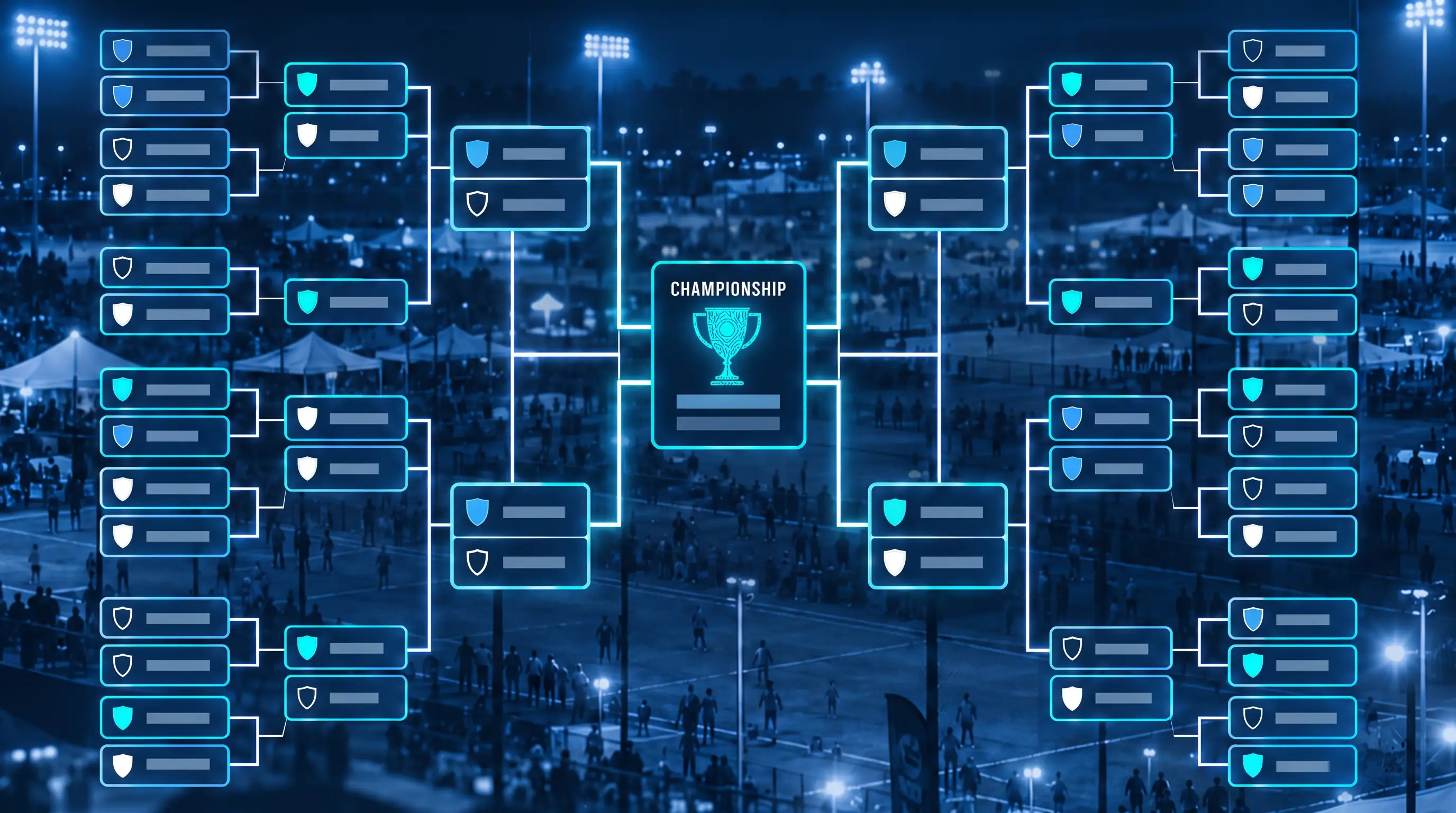
- Round robin rotation, where every team plays every other team at least once, is the default for most league play because it keeps competition balanced across the full season.
- Single-elimination brackets are built for knockout-style tournaments where one loss ends a team's run.
- Double-elimination formats give teams a second chance through a losers bracket before they're out of contention.
- Pool play vs bracket play splits teams into smaller groups for preliminary rounds, then feeds the top finishers into a final bracket.
The right format depends on how many teams you have, how many dates are available, and what kind of experience you want for participants.
How Round Robin Scheduling Works
Round robin is the default for league play because it's the fairest structure available: every team faces every other team the same number of times. No team gets an easier path by avoiding a strong opponent.
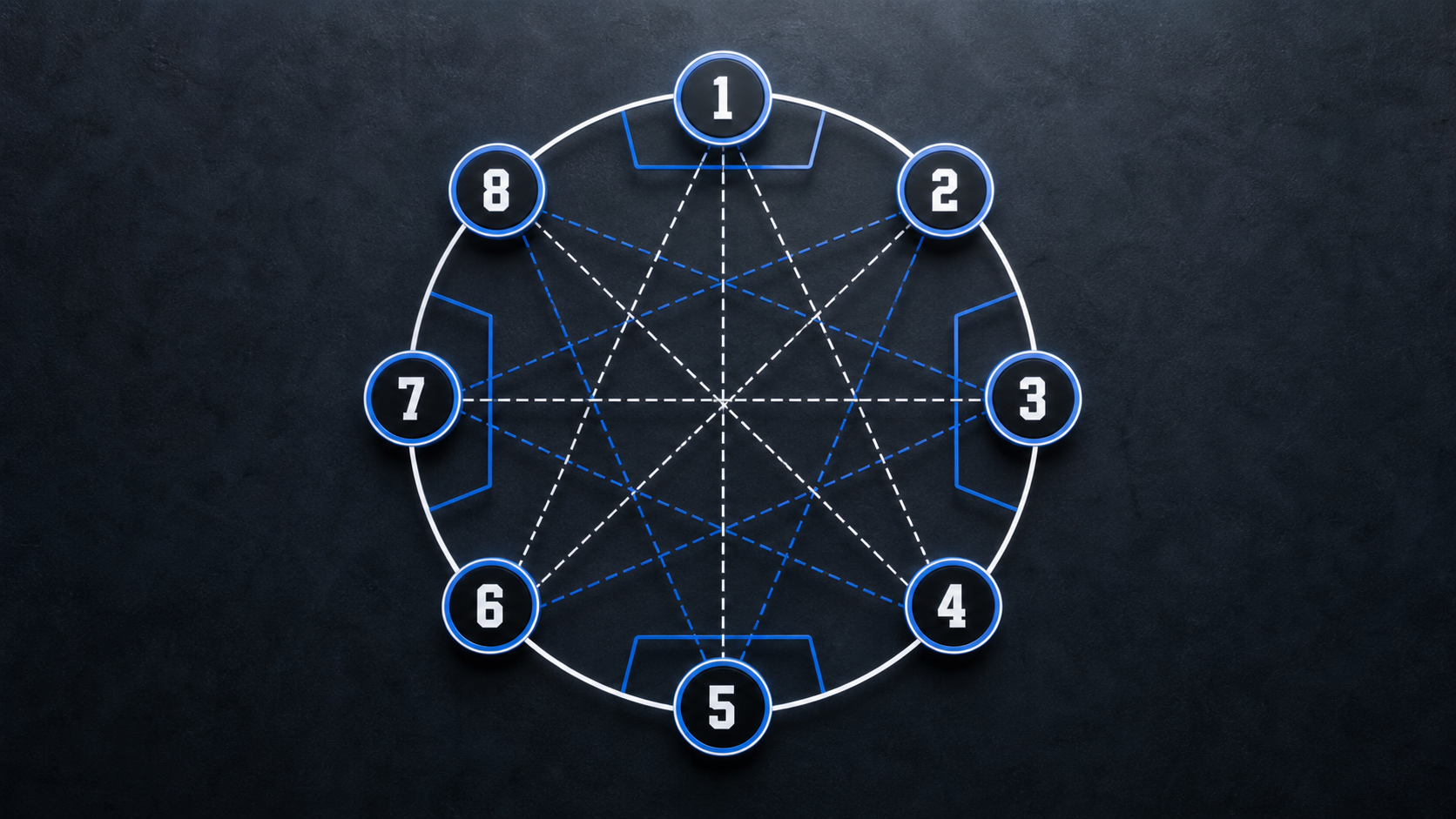
The match count follows a round robin scheduling formula: N teams produce N x (N-1) / 2 total games. An 8-team field plays 28 games. A 12-team field plays 66. That number grows fast, which is why scheduling by hand gets unwieldy quickly.
From there, you choose between single and double round robin. Single means each pairing happens once. Double means each pairing happens twice, home and away, which matters most when field advantage is real or when you want a longer season or event series with more data before playoffs. A round robin format guide can help you compare game counts and rounds at a glance for different team sizes.
One wrinkle worth knowing: odd team counts produce a bye each round. With 9 teams, one team sits out every round. Most sports schedule generators handle this automatically by inserting a phantom "bye" team, but you should confirm your generator of choice does this before you rely on the output.
Other Scheduling Formats: Brackets, Pool Play, and Hybrids
Round robin covers most league seasons, but tournaments usually call for something different. The format you choose changes how many games teams play, how quickly the field narrows, and how much scheduling complexity you're managing.
Here is a quick breakdown of the most common formats:
The format you pick has a direct impact on what your league schedule generator needs to handle. A round robin generator will not build a bracket, so confirm the software you are using supports your full format before you commit.
What to Gather Before Generating Your Schedule
Before you open any schedule generator, the inputs matter more than the software itself. Missing one key piece of information mid-setup forces you to start over.
Here is what to have ready:
- Team count and names, confirmed before anything else, since this number drives total game count, bye assignments, and how many rounds fit your available dates.
- Available dates and times for the full season, including any windows that are shorter or longer than usual.
- Venue names, court or field counts, and availability windows per location.
- Estimated game duration, including warmup and transition time between games.
- Minimum rest required between a team's games, both same-day and on back-to-back days.
- Coach or team blackout dates, such as holidays or conflicts with another program.
- Your preferred format: round robin, bracket, pool play, or hybrid.
Blackout dates and coaching overlaps are the inputs most organizers forget until a conflict appears in the published schedule. If one coach runs two teams in the same division, or a venue is unavailable on a holiday weekend, flag it before generation, not after.
How to Set Up and Run a Sports Schedule Generator Step by Step
A few things to set up correctly before you run the generator will save you considerable revision time afterward.
- Enter your teams. Add every team name exactly as you want it to appear on the published schedule. Confirm the total count matches your registration list.
- Add your venues. Input each location, how many courts or fields are available, and the time windows those surfaces are open. If a venue closes early on Sundays, enter that now.
- Set game duration. Include buffer time for warmups and transitions between games, beyond the game clock itself.
- Choose your format. Round robin for league seasons, pool play or bracket for tournaments, hybrid for weekend events that need both.
- Enter your constraints. Minimum rest between games, coaching overlaps, blackout dates, and any rules in automated tournament scheduling you want the generator to respect.
- Run the generator. Review the output for conflicts before publishing. Check that no team plays back-to-back without adequate rest and that you avoid double-booked tournament fields.
- Export or publish. Most generators let you download a PDF or share a link. Confirm the format works for how your teams and families will actually access it.
The review step is where manual processes tend to collapse. A generator can only apply the rules you gave it, so if a constraint was missing at setup, the output reflects that gap.
Must-Have Features in a League Schedule Generator
Schedule generators range from simple rotation apps that hand you a matchup list and nothing more, to full-picture platforms that handle venues, constraints, and communications, so knowing what yours actually covers before you commit saves a frustrating rebuild later.
Features worth confirming before you choose:
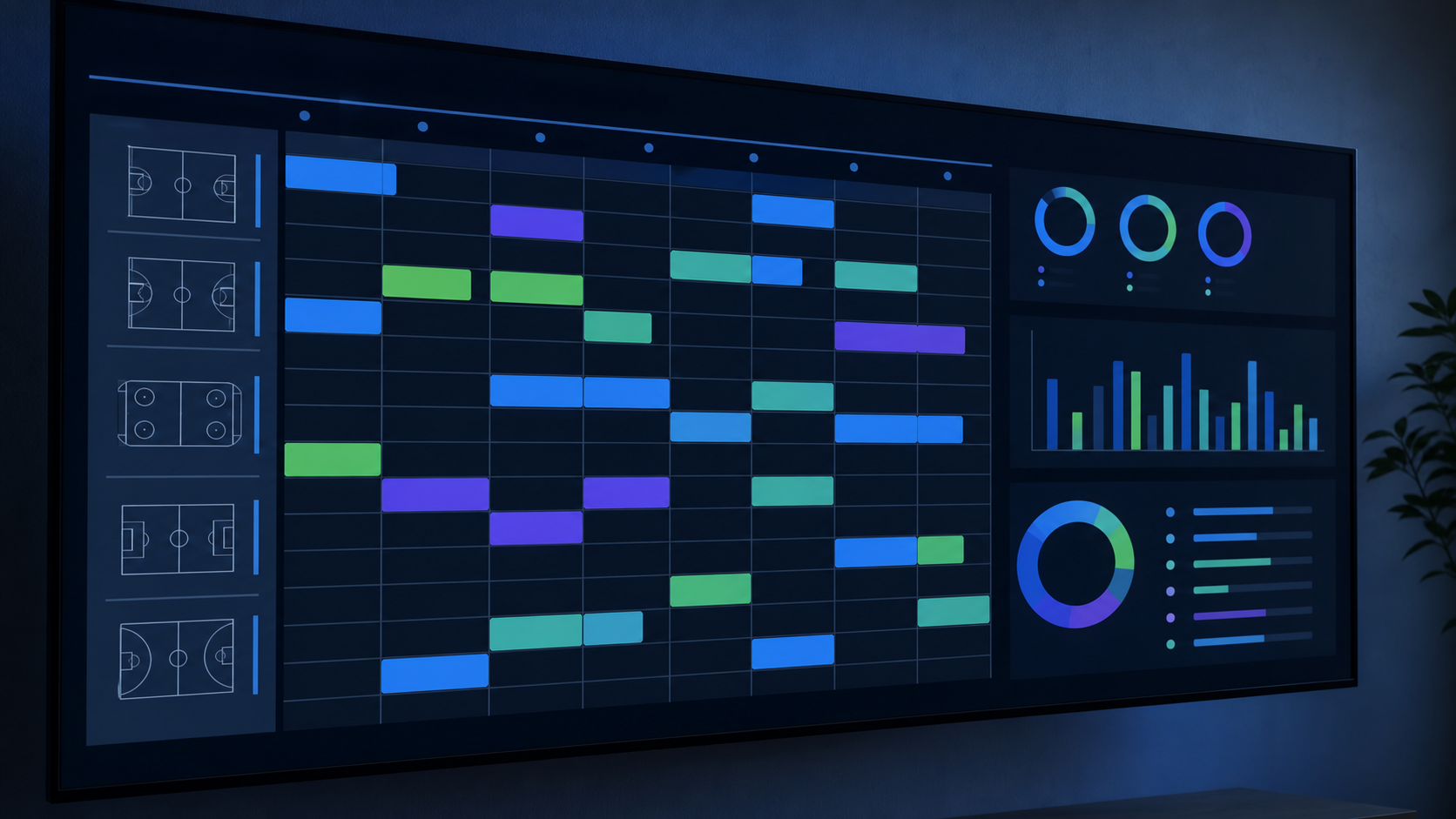
- Venue and time slot assignment, beyond matchup pairing. A generator that tells you who plays whom but leaves you to manually assign courts and times has done half the work.
- Home and away balance across the season, so no team carries a disproportionate travel burden.
- Division support, letting you manage multiple age groups or competitive tiers inside one event without running separate schedules, a core feature to look for in youth sports scheduling software.
- Live standings that update when scores are entered, without requiring a manual recalculation after each game day.
- Export options, including CSV for editing and print-ready PDF for posting at venues.
- A shareable public link so coaches and families can access the schedule without requesting a file from you.
Many free round robin generators only produce matchup lists, without the ability to assign times and locations. That gap is easy to miss until you are already mid-setup. If venue assignment matters to your event, confirm it is included before you start entering data.
Handling Byes, Odd Team Counts, and Mid-Event Changes
Odd team counts and mid-season roster changes are where most schedule generators show their limits.
With an odd number of teams, one team sits out each round. That team has a bye. Most generators insert a phantom team to fill the bracket math, which works fine on paper. Some go further and let you assign a doubleheader to another team instead, keeping all active teams playing every round. If your league runs on limited field time and you can't afford idle teams, confirm that option exists before you commit to a generator.
Mid-event changes are the harder problem. A team withdraws partway through. A late registration needs a spot. A basic generator usually requires rebuilding the entire schedule from scratch, which means updates go out again, standings or bracket calculations need fixing, and someone will likely show up to the wrong field before the change reaches them. A stronger generator handles partial rebuilds, adjusting only the rounds that haven't been played yet while leaving completed results intact.
Before your event or season starts, ask two questions of any generator you're considering: what happens when a team drops out mid-event, and what happens when you need to add one?
When a Free Generator Reaches Its Limit
Free generators cover the basics well enough for a small, informal event: six teams, one venue, no divisions, no coaching overlaps. For that situation, a simple rotation tool is all you need.
The gap appears when your operation grows. Free tools often cap the number of teams, display ads to your parents and athletes, limit how many schedules you can create or restrict features like live standings and automated updates. Those aren't minor inconveniences at scale. Ads shown to families reflect on your organization, not the software company.
Beyond feature caps, structural limitations matter more as complexity increases. A free generator doesn't know that one coach runs three teams across two divisions and has no way to handle coach conflicts and team rest time. It doesn't flag a venue conflict when your Saturday courts are unavailable after 4pm. It won't push a schedule change to families when a game moves. You handle all of that manually, after the schedule is already published.
The decision point is straightforward: if you're running a single-division event with fewer than 12 teams, one location, and no coaching overlaps, a free generator gets you there. Once you add a second venue, multiple divisions, real-time standings, or family communication, you're managing the gaps yourself. The generator saved you an hour of scheduling and cost you several more in coordination.
Publishing and Sharing Your Schedule
Once a schedule is generated and reviewed, getting it to coaches and families is where static generators often fall short.
Most generators offer a PDF export or a shareable link. A PDF works for posting at a venue or emailing a team contact, but it becomes outdated the moment anything changes. A shareable public link is better since coaches can bookmark it, but if that link does not update automatically when a game time changes, someone still needs to re-export and redistribute.
CSV export matters when you're pulling data into another system, a website, a scoring app, or a communications platform. Confirm the column structure is usable before you rely on it.
Calendar sync is worth checking if your teams want game times to appear directly in Google Calendar or Apple Calendar. An AI sports schedule maker can also push live updates far beyond what a static export allows. Few free generators offer this, but for families managing multiple schedules across a household, it reduces the "when do we play?" questions considerably.
The real divide is between a static schedule and a live one. Static schedules are documents you distribute and then chase; the live version holds the current truth and pushes updates to whoever needs them. When a field goes down Saturday morning or a game moves by 30 minutes, a live schedule updates in one place and reaches coaches and families automatically. A static document requires you to catch it, fix it, re-export it, and hope everyone sees the new version before showing up to the wrong location.
How Fastbreak Powers Tournament Scheduling at Scale
Fastbreak AI for Tournaments was built for exactly the moment a free generator runs out of answers.
The AI scheduling software behind Fastbreak AI builds schedules for professional leagues around the world, including the NBA, NHL, MLB and MLS. The same core scheduling technology runs Fastbreak AI for Tournaments. You set rules like guaranteed games, divisions and venue hours, and the scheduler flags any that conflict and shows which ones can't be met. You can generate the schedule anyway or adjust your rules and run it again.
You can also add Fastbreak Travel to manage team hotel bookings and earn revenue from every room night. When game day brings a field closure or a time shift, drag and swap games and the scheduler adjusts automatically. The updated schedule flows to the Fastbreak App, so coaches and families see it without a manual re-export. See how Fastbreak AI fixes youth tournament scheduling for the full breakdown.
Final Thoughts on Using a Sports Schedule Generator Effectively
Scheduling gets complicated fast, and the generator you choose is only as good as the inputs you give it. Confirm it handles your format, your venue count, and mid-event changes before you commit. When your operation grows past what a free rotation tool can manage, the Fastbreak team can show you more.
FAQ
What's the difference between using Fastbreak AI for Tournaments vs. a free round robin generator?
Free round robin generators pair teams and hand you a list of matchups, but leave venue assignment, rest windows and mid-event changes to you. Fastbreak AI for Tournaments is built on the same scheduling technology Fastbreak uses for professional leagues like the NBA and NHL. You set rules like guaranteed games, divisions and venue hours and get a balanced schedule in minutes, with any rule conflicts flagged before you publish. When something changes on game day, the updated schedule flows to coaches and families through the Fastbreak App.
How do I handle coaching overlaps and odd team counts when setting up a league schedule generator?
Enter coaching relationships and blackout dates before you run the generator, not after. If one coach runs multiple teams across divisions, flag that connection during setup so the engine treats it as a scheduling constraint alongside venue availability and rest periods. For odd team counts, confirm your generator inserts a phantom bye team automatically and does not require manual adjustment, since missing this step creates a round with an unscheduled team.
Can I build a tournament schedule that covers pool play and elimination brackets without running two separate scheduling processes?
Yes, but only if your schedule generator supports hybrid formats natively. A round robin generator builds pool play rotations; it will not construct the elimination bracket that follows. Fastbreak AI for Tournaments handles the full sequence in one workflow, including the pool-to-bracket transition, which is one of the hardest timing problems in tournament scheduling and where manual methods most often produce two-hour gaps or game pileups.
What are the top alternatives to SportsEngine for managing youth sports leagues and tournaments?
SportsEngine's scheduling relies on manual rework at scale and lacks native AI constraint-solving across divisions. Fastbreak AI for Tournaments runs AI scheduling across divisions in minutes, and because registration and scheduling live on the same platform, schedules are built from your actual team counts. LeagueApps is built for recurring local league play, not multi-venue tournament logistics, and uses a basic rotation grid in place of optimization.
How do organizers avoid schedule errors that damage team retention?
Schedule errors compound quickly when events are built in isolation using spreadsheets: a venue conflict in one division creates a ripple that breaks coach availability in another, and by the time it surfaces, the published schedule has already reached families. Running all divisions through a single AI scheduling engine, with venue availability, coach availability and rest requirements entered as rules up front, flags those conflicts before the schedule is published. After publication is when errors start costing you teams at the next event or in the following season.


