







Most tournament gate failures aren't really about the scanners or the staff. They're about a ticketing setup that was designed assuming a stable internet connection, running inside a venue that can't reliably provide one. Gyms, outdoor complexes, and multi-building facilities are rough environments for wireless signals under load, and when connectivity drops during entry, the problems compound faster than most organizers expect. Understanding what breaks and in what order is the first step to setting up a gate that keeps moving regardless of the signal.
Executive Summary:
- Poor Wi-Fi at tournament venues is standard, not an edge case. Concrete, steel, and crowd load all kill connectivity.
- A gate failure cascades fast: unverified tickets, unrecorded walk-up sales, and broken reconciliation data compound before connectivity returns.
- Cellular backup is not a reliable fallback. Network congestion at large events can drop data speeds even with full signal bars.
- Before choosing a ticketing platform, confirm it covers the full offline workflow: scanning, walk-up sales, payments, and automatic sync.
- Fastbreak AI builds offline scanning directly into Fastbreak Ticketing, with on-device validation, local duplicate detection, and background sync once the signal returns.
Why Tournament Venues Are Uniquely Hard on Wi-Fi
Sports venues are notoriously rough environments for wireless connectivity. Gyms, convention centers, and multi-court facilities were built for physical activity, not data transmission. Thick concrete walls, steel support beams, and metal roofing all scatter and absorb Wi-Fi signals before they reach the devices that need them.
Then add the crowd. A tournament with 2,000 attendees brings thousands of smartphones, tablets, and card readers into the same space at the same time. Every device competes for bandwidth on the same channels, and signal quality drops fast under crowd load, a problem well-documented at festivals and sporting events of all sizes.
What Makes Multi-Venue Tournaments Even Harder
Outdoor complexes and multi-building facilities introduce a different problem: physical distance between your network equipment and your gate staff. Even if one building has solid coverage, the parking lot check-in tent or the satellite gym across the campus may have none at all. Gate staff end up working in dead zones with no fallback.
These conditions are not edge cases. They are standard operating conditions for most youth sports tournaments, and any ticketing setup that depends on live internet will eventually fail inside them.
Why the Gate Is the Last Place You Can Afford a Failure
Gate entry is where every decision you've made leading up to tournament day gets tested in real time. Hundreds of families arrive at once, phones come out, and your check-in process either holds or it doesn't. There's no quiet moment to troubleshoot.
Most venues that host youth tournaments were not built with high-density Wi-Fi in mind. Gyms, parks, and convention spaces regularly drop connectivity under crowd load, and when that happens, QR code scanners stall, digital tickets won't pull up, and staff are left guessing who has paid.
The consequences move fast. Lines back up, frustrated families look for workarounds, and the reputation of your event takes a hit before the first game tips off.
The Domino Effect of a Wi-Fi Outage During Entry
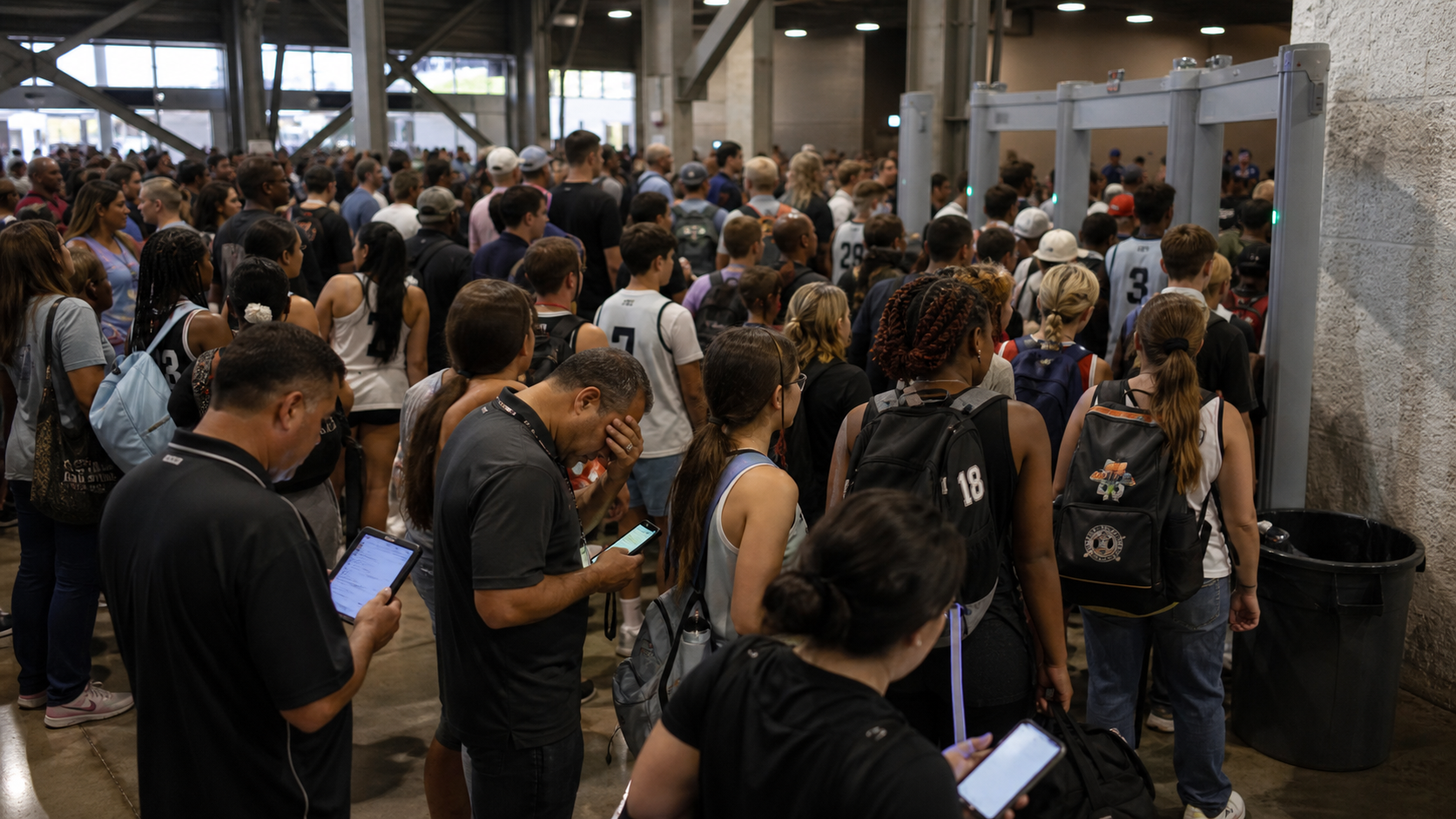
A connectivity failure at the gate doesn't stay at the gate. Once scanners can't validate tickets, staff make a judgment call: wave people through. Walk-up sales go unrecorded. Anyone who claims to have already paid is impossible to verify on the spot, so most get let in.
From there, reporting breaks. Your gate count stops matching your revenue dashboard, capacity figures become guesswork, and end-of-day reconciliation is built on incomplete data. Each workaround your team improvises in the moment creates another discrepancy somewhere else in the record. And that's the real rub. By the time connectivity returns, the financial picture of your event is already unreliable.
Here's what you need to keep in mind though: that gap is entirely preventable with the right setup before gates open. The problem goes deeper than a gap in the log, though. Each improvised decision branches into multiple downstream errors:
- Waved-through attendees inflate your headcount without matching revenue entries, so per-head revenue figures are off before the day ends.
- Unrecorded walk-up sales mean your actual cash intake won't match what the system shows was collected.
- Capacity tracking loses accuracy in real time, which has an impact on staffing calls, safety decisions, and sponsor reporting after the event.
Why Cellular Backup Is Not a Reliable Fallback
Cellular backup sounds like a reasonable plan until you're standing at the gate with 400 families waiting to get in. The reality is that mobile networks behave unpredictably at large outdoor venues where hundreds of people are simultaneously streaming, posting, and video calling. As wireless infrastructure research shows, that congestion alone can reduce your effective data speeds to nearly nothing, even with full signal bars showing on the screen.
There's also the cost side. Running gate scanning, check-in validation, and real-time mobile ticketing over cellular data throughout a full tournament weekend adds up quickly, and there's no guarantee the connection holds when volume peaks during early morning wave starts.
Offline mode sounds like the backup to the backup, but pre-loaded attendee lists go stale the moment a family transfers a ticket, requests a refund, or purchases at the gate, issues covered in depth in tips for mastering online event ticketing. Without live sync, your staff has no way to catch those changes.
What Offline Ticketing Actually Means
Offline ticketing means your gate staff can keep scanning tickets even when the Wi-Fi drops, the cell signal disappears, or the venue simply has no connectivity to begin with. Fastbreak AI builds this directly into its ticketing software, so scanners cache the ticket data they need locally before the gates open. When a connection is unavailable, the system works from that local cache and continues validating tickets without interruption.
This matters most in venues where connectivity is unreliable by default: outdoor fields, rural complexes, large multi-field sites where the crowd itself overwhelms the network. Staff see the same clear accept or deny signal they would get online, and the results sync back once connectivity returns.
How Offline Scanning Handles Duplicate Ticket Risk
Offline scanning catches duplicates within the same session. If someone presents a ticket that was already scanned at that gate, the device flags it immediately, with or without a live connection. The local cache tracks every scan made during the offline window, so re-entry attempts on the same QR code are blocked in real time.
The limitation is narrower than most organizers expect: changes that happen after the last sync won't be reflected until connectivity returns. A ticket transferred five minutes before gates open, a last-minute refund, or a walk-up sale completed on another device during the offline window are all invisible to a scanner operating from a cached snapshot. That gap is real.
The practical answer is timing. Syncing your scanners as close to gate open as possible shrinks that window considerably. Most ticket transfers and refund requests happen days before the event, and walk-up sales processed offline sync back automatically once the connection restores.
What to Look for in a Ticketing System That Works Without Wi-Fi

Not every ticketing system handles offline the same way. Before committing to one, ask four questions:
- Does offline mode cover the full workflow, including walk-up sales and attendee management, or only scanning?
- Does it run on phones your staff already carry, or does it require renting dedicated hardware? The answer matters especially when comparing a free mobile ticketing service against paid alternatives.
- Can it process credit card payments at the gate without an active connection?
- When connectivity returns, does the system sync automatically, or does someone have to trigger it manually?
| Capability | Standard Online-Dependent Ticketing | Fastbreak Ticketing |
|---|---|---|
| Offline ticket scanning | Stops when connectivity drops | On-device validation keeps gates moving |
| Offline walk-up sales and payments | Not available without a connection | Processes sales and card payments at the gate offline |
| Runs on staff smartphones | Often requires dedicated rented hardware | Works on phones your staff already carry |
| Automatic sync when connectivity returns | Typically requires manual reconciliation | Syncs in the background with no manual steps |
A system that covers scanning but not sales leaves a gap the moment a walk-up family shows up during a dead zone. Hardware requirements add cost and create a single point of failure. Manual sync steps after connectivity returns introduce the exact kind of human error you are trying to avoid.
Why Dedicated Scanning Hardware Is a Liability at Multi-Venue Tournaments
Running hardware to a 10-field complex means pre-assigning scanners before the day starts and hoping the plan holds. When a bracket finishes early, a field goes down, or a second entrance suddenly needs coverage, that hardware is wherever you left it. Moving it means a logistics call, a physical handoff, and time you don't have mid-morning with three divisions tipping off simultaneously.
Phones your staff already carry don't have this problem. Someone with a phone is every gate you need them to be, which is why sports event software with native mobile apps has become the preferred approach for multi-venue operations. If volume changes, your staff moves with it. No check-out process, no equipment count at the end of the night, and no return shipment to arrange the following week.
How Fastbreak Ticketing Keeps Gates Running When the Signal Disappears
Fastbreak Ticketing is built around a simple reality: gates don't get to pause for poor connectivity, and that's a key reason directors are switching to integrated mobile ticketing. The software runs locally on the device scanning tickets, so check-in keeps moving whether the venue has full bars or no signal at all. Every scan is logged, every ticket validated, and the queue keeps flowing.
When connectivity returns, the system syncs automatically. Staff don't need to do anything to match offline scans against the live database. There's no manual process, no double-checking, no catch-up work waiting at the end of the day.
What This Looks Like at the Gate
A few things work together to keep entry running smoothly under real tournament conditions:
- Ticket validation happens on-device, so a dropped connection mid-wave of arrivals doesn't create a bottleneck or force staff to make judgment calls about who gets in.
- Duplicate entry attempts are caught locally, not by a server request, which means fraudulent or reused tickets are flagged even when the system is offline.
- Sync happens in the background once the signal stabilizes, keeping your attendance data accurate without requiring anyone to manage it manually.
The World Taekwondo Grand Prix used Fastbreak Ticketing across a high-traffic, multi-session event format where entry volume and venue logistics created real pressure on gate operations. More than 1,000 fans moved through the gates quickly, with staff using their own phones and no dedicated scanning hardware on site. Check-in held up across all sessions, and organizers tracked attendance and revenue in real time throughout the weekend.
Final Thoughts on Tournament Gate Operations and Wi-Fi Reliability
Most gate failures aren't caused by bad planning. They're caused by ticketing setups that weren't built for the environments youth sports tournaments actually run in. Offline capability closes that gap, and your staff never has to make a judgment call about who gets in. Reach out to us if you want to walk through how Fastbreak Ticketing handles real tournament conditions.
FAQ
Can Fastbreak Ticketing scan tickets at a venue with no Wi-Fi or cell signal?
Yes. Fastbreak Ticketing stores ticket data directly on the scanning device before gates open, so your staff can validate QR codes and log entry without any active internet connection. Once signal returns, the system syncs automatically with no manual steps required.
What's the real risk of using cellular as a backup for tournament gate scanning?
Cellular backup fails under the same conditions that kill Wi-Fi: hundreds of families arriving at once, all streaming and posting simultaneously. Data speeds drop to nearly nothing even with full bars showing, and you have no reliable way to validate tickets, record walk-up sales, or track capacity accurately during that window.
How does Fastbreak Ticketing vs. Eventbrite handle offline gate entry at multi-venue tournaments?
Fastbreak Ticketing caches ticket data on-device and keeps scanning, processes walk-up sales, and catches duplicate entry attempts without a live connection, then syncs automatically when connectivity returns. As of this writing, Eventbrite has no publicly documented offline scanning capability, which means a connectivity drop at the gate stops your check-in process entirely and leaves walk-up revenue unrecorded.
How do I prepare Fastbreak Ticketing scanners before gates open to minimize offline risk?
Sync your scanning devices as close to gate open as possible. Most ticket transfers and refund requests happen days before the event, so a late pre-gate sync shrinks the window of unsynced changes to nearly nothing. Walk-up sales processed offline sync back automatically once connectivity is restored, so no manual catch-up work is needed after the fact.
What happens to my gate revenue data if scanners go offline mid-entry wave?
Every scan made during an offline window is logged locally on the device, including duplicate-entry attempts and walk-up sales. When the connection restores, that data syncs back to your central dashboard automatically. Your attendance count and revenue records stay complete without requiring anyone to reconstruct what happened during the outage.


