







Digital tickets live on your attendees' phones for weeks, generating dozens of impressions before and after your event. Most organizers treat that as a convenience feature. But sports event sponsorship revenue grows when you place sponsor logos and promotional offers directly on those wallet passes, turning every ticket into a branded touchpoint. The problem is simple: most ticketing systems don't let you add sponsor content to wallet passes. You're issuing the tickets, but you're not capturing the revenue. We're breaking down which platforms support sponsor placement and which ones force you to leave money on the table.
Exec summary:
- Only one ticketing system places sponsor content directly on Apple and Google wallet passes.
- Most platforms lack sponsor injection, leaving tournament operators with uncollected revenue.
- Fastbreak AI delivers sponsor branding through SMS tickets that update in real time after issue.
What Is Digital Ticket Branding and Sponsor Monetization?
Traditional sponsorship visibility stops at the venue. Banners appear in a few social media posts. Field signage reaches only attendees physically present. But a digital ticket stays on the attendee's phone, generating repeat impressions after the event ends and delivering trackable calls to action through embedded links or codes.
Digital ticket branding places sponsor logos, coupon codes, or promotional offers directly onto the mobile pass stored in Apple Wallet or Google Pay. Every time an attendee opens their phone to scan into your venue, the sponsor message appears. With mobile wallet adoption reaching 5.2 billion users globally and 73% of attendees expecting modern event technology, this placement strategy taps into massive reach potential. When they scroll through their wallet days or weeks later, the brand shows up again.
For tournament operators, this creates new revenue without added overhead. You already issue digital tickets. The question is whether your ticketing system can inject sponsor content onto wallet passes and whether you're charging for that access. Most organizers miss this revenue because their provider either doesn't offer the feature or requires manual workarounds that kill scalability.
How We Assessed Sponsor Placement Capabilities for Digital Tickets
We assessed each solution based on five technical requirements that determine whether a ticketing system can generate sponsor revenue at scale:
- First, native sponsor injection: can the system place sponsor content directly onto wallet passes without manual export or third-party workarounds?
- Second, mobile wallet integration: does it support both Apple Wallet and Google Pay with full pass customization?
- Third, real-time updateability: can you change sponsor content after tickets are issued if a new brand partner signs?
- Fourth, offline functionality: will scanners work at field complexes without reliable internet? Fifth, engagement tracking: can you measure how many attendees viewed or clicked sponsor offers to prove ROI to brands?
This framework is based on publicly available product specifications and feature documentation. We're not assessing ease of use or customer support, just whether the technical infrastructure exists to monetize sponsor placement.
Best Solution for Sponsor Logo Placement on Digital Tickets: Fastbreak AI
Fastbreak AI delivers sponsor content through Easy Event Tickets, which sends tickets via SMS. When attendees add the ticket to Apple Wallet or Google Wallet, the pass displays your configured sponsor assets: logos, coupon codes, or promotional offers with trackable links. Because the solution makes use of existing wallet apps, there is no additional app required. Fans tap the SMS link, save the pass, and the sponsor content stays visible on their phone until the ticket expires. You manage sponsor content from the backend, and updates push to existing passes immediately. If a sponsor signs two days before your event, you update the template once and every issued ticket reflects it.
As for generating revenue, you can charge sponsors for ticket wallet placement the same way you price fence signage or program ads. Ticket visibility lasts weeks beyond the event and reaches every attendee. Organizers bundle this into existing sponsorship packages or sell it separately.
Eventbrite

Eventbrite is a leading global event management and ticketing platform that allows organizers to create, promote, and sell tickets for events of all sizes. It provides a suite of tools for event setup, marketing, and analytics to help maximize visibility and ticket sales.
Key Features
Eventbrite has a number of key features as it relates to placing sponsorship logos on digital tickets:
- Custom Event Pages: You can design your event page using a visual editor where sponsor logos can be included into event banners and promotional imagery.
- Image Upload Support: Eventbrite lets organizers upload photos and images (including logos) to various parts of the event listing.
- Flexible Marketing Tools: Built-in marketing tools allow sponsor logos to be included in email campaigns and promotional materials linked to ticket sales.
- Multiple Ticket Types: Organizers can create different ticket types and use descriptive text or imagery to reference sponsors per tier.
- Branding in Event Listings: Sponsor visibility is supported in event listings, giving logos exposure where potential attendees see ticket purchase options.
Limitations
- No Native Ticket Logo Field: Eventbrite doesn’t currently offer a dedicated, built-in feature for placing sponsor logos on the digital ticket itself.
- Limited Ticket Design Controls: Customization of the actual ticket layout (where barcode/QR displays) is not enough to guarantee logo placement without workarounds.
- Manual Branding Required: Adding sponsor logos often requires manual steps (e.g., embedding images in event banners) instead of automated ticket branding workflows.
- Inconsistent Display Across Channels: Sponsor visuals placed in event pages or emails may not appear the same on attendees’ delivered PDF or mobile wallet tickets.
- Dependent on External Tools: To create heavily branded tickets with sponsor logos, organizers may need external graphic design tools and then upload images, instead of using internal templates.
The Bottom Line
Eventbrite is excellent for general event ticketing, promotion, and sponsor marketing visibility within event pages and campaign materials, but it does not offer strong native support for placing sponsor logos directly onto the digital ticket file itself. It’s best used when combined with external design tools or creative workarounds if precise sponsor logo placement on tickets is a priority, with stronger impact stemming from branded event banners, emails, and promotional content linked to ticketing instead of the ticket medium itself.
Hometown Ticketing

Hometown Ticketing is a digital ticketing and event management platform tailored primarily for schools, districts, and educational organizations, allowing online ticket sales, scanning, and revenue tracking for athletic and cultural events. It provides a customizable digital ticketing solution that integrates with school websites and mobile apps with no platform costs for schools.
Key Features
Hometown Ticketing has a number of key features as it relates to placing sponsorship logos on digital tickets:
- Custom Branding Support: Hometown’s Box Office supports custom branding and sponsorship placements, allowing local advertiser or sponsor logos to appear on ticketing elements.
- Event Image Uploads: Organizers can upload images and graphics that can include sponsor logos to be associated with digital tickets, event pages, or promotional materials.
- Integrated School Branding: Tickets and event interfaces can reflect school logos, colors, and identity which is useful when pairing sponsor visuals with event branding.
- Mobile Ticket Access: Digital tickets can be delivered via mobile apps or web, potentially showcasing sponsor branding alongside event information.
- Partner & Sponsorship Recognition: The platform’s partner ecosystem and sponsorship features allow schools to showcase official supporters throughout the ticketing and event experience.
Limitations
- No Dedicated Ticket Logo Template: There’s no specific, built-in ticket template field that automatically places sponsor logos in defined positions on digital ticket PDFs or mobile passes.
- Manual Implementation Required: Effective integration of sponsor logos typically requires manual uploading and design work, instead of automatic ticket branding workflows.
- Limited Visual Customization: Ticket design customization, particularly for precise logo sizing, placement, and layout, remains somewhat limited compared to dedicated branding-first platforms.
- Inconsistent Display Across Formats: Logos and branding elements may appear differently (or not at all) depending on whether the ticket is viewed in the browser, mobile app, or as a downloaded file.
- Focus on School Branding Over Sponsorship: The platform focuses on school branding and other functionality over sponsorship logo management features.
The Bottom Line
Hometown Ticketing is well-suited for K-12 and educational organizations that want a digital ticketing system integrated with school branding and general sponsorship recognition. While it supports custom branding and sponsor placements around the ticket-buying experience, it does not provide a highly specialized or automated toolset for placing sponsor logos directly and consistently on the digital ticket itself, making it more appropriate when combined with manual design efforts or when sponsorship visibility outside of the core ticket graphic is sufficient.
TicketSpice
TicketSpice is a customizable, white-label online event ticketing and management platform that gives organizers full control over branding and ticketing experiences. It empowers users to create custom ticketing pages and deliver tickets online while maintaining their own brand identity instead of the platform’s.
Key Features
TicketSpice has a number of key features as it relates to placing sponsorship logos on digital tickets:
- Custom Ticket Templates: You can customize attendee tickets to include sponsor logos, event addresses, and custom text for brand exposure at entry.
- Branding Control: The platform supports full branding of ticketing pages so sponsor imagery can be integrated into the event purchase experience.
- Image Upload Fields: The builder allows inclusion of images and graphics (e.g., sponsor logos) within ticketing page sections.
- Custom Headers: You can add header images to pages for visual placement of sponsor logos that reinforce partnerships.
- White-Label Experience: TicketSpice’s nearly white-label setup removes platform branding, making sponsor visuals more central to the ticketing flow.
Limitations
- Page-Only Focus: TicketSpice’s customization is primarily for ticketing pages instead of embedded placement on the ticket file itself delivered to attendees.
- Manual Graphic Requirements: Adding sponsor logos relies on manual image uploads and layout control instead of automated sponsor placement features.
- No Advanced Ticket Design Tools: There’s limited native support for advanced design positioning and scaling of sponsor logos on the issued ticket artifact.
- Consistency Issues Across Formats: Logo placement may differ or not appear consistently across mobile tickets, printed tickets, or PDF exports.
- Not Template-Driven for Sponsors: There are no built-in sponsor templates that automatically embed multiple sponsor logos in predefined ticket locations.
The Bottom Line
TicketSpice is excellent for organizers seeking deep branding autonomy and a white-label ticketing experience, giving them the flexibility to include sponsor logos and imagery on ticketing pages and delivered tickets through manual customization. While it supports key branding tools and image inclusion, it doesn’t offer specialized, automated tools for sponsor logo placement on the actual issued ticket files, making it ideal for events that want flexible branding control with some manual design effort instead of turnkey sponsor logo ticket templates.
Vivenu
Vivenu is a modern, API-first, white-label event ticketing platform that helps organizers manage, sell, and customize tickets while keeping their brand front and center. It allows deep customization and brand control throughout the ticketing experience.
Key Features
Vivenu has a number of key features as it relates to placing sponsorship logos on digital tickets:
- Full White-Label Control: Vivenu’s white-label system allows organizers to fully customize branding elements across the ticketing journey, potentially including sponsor imagery.
- Custom Ticket Design Options: The platform offers the ability to personalize ticket designs from scratch with individual layouts and graphics, which can include sponsor logos.
- Brand-Centered Customer Journey: Vivenu helps organizers keep their own brand showcased throughout checkout and ticket delivery, offering space where sponsor visuals may be aligned with core branding cues.
- API-Driven Customization: Its powerful API lets developers build bespoke ticketing experiences, allowing sponsor logo placement to be tailored programmatically.
- Custom Ticket Shops: The white-label ticketing shop can be fully branded, letting sponsor identity appear throughout the purchase funnel and ticket presentation context.
Limitations
- No Built-In Sponsor Logo Module: Vivenu doesn’t offer a dedicated feature for auto-placing sponsor logos on ticket files without custom design setup.
- Manual Customization Often Required: Adding sponsor visuals usually relies on manually configuring ticket templates or using API code, instead of a simple UI toggle.
- Design Consistency Challenges: Sponsor logos and graphics may appear differently across mobile tickets, PDFs, and printed versions unless carefully customized.
- Developer-Dependent for Advanced Branding: Deep customization often depends on developers using the API instead of standard organizer tools.
- Primary Focus on Brand Over Sponsors: The platform’s core emphasis is on organizers’ own branding and data control, meaning sponsor logo support is secondary and often bespoke.
Bottom Line
Vivenu is a highly customizable, brand-centric ticketing solution that gives organizers flexibility and control over how their tickets and ticketing experiences look and feel. While it can support sponsor logos through custom design and API-driven workflows, it doesn’t have out-of-the-box ticket sponsor logo placement features, making it best suited for organizations with design or development capabilities that want deeply branded and tailored ticketing experiences instead of turnkey sponsor logo automation.
TicketLeap
TicketLeap is a user-friendly online event ticketing and management platform that helps organizers sell tickets, promote events, and manage check-ins with no contracts or service tiers. It caters to a wide range of events by offering customizable event pages and built-in marketing tools.
Key Features
TicketLeap has a number of key features as it relates to placing sponsorship logos on digital tickets:
- Customizable Event Pages: Organizers can add images and branding to event pages, creating space where sponsor logos can be showcased before ticket purchase.
- Branded Event Listings: TicketLeap allows event listings to reflect your organization’s identity, including images that could include sponsor graphics.
- Embedded Photos & Media: You can upload embedded photos and videos to your ticketing page, which may include sponsor logos for visibility during the ticketing experience.
- Custom “Buy Tickets” Buttons: Customizable buttons and visual elements on your ticketing page help align sponsor branding with the checkout flow.
- Customizable Forms/Fields: While primarily for attendee data, forms can be paired with imagery and branding that include sponsor references in post-purchase communications.
Limitations
- No Native Logo Field on Tickets: TicketLeap doesn’t offer a dedicated built-in feature to automatically place sponsor logos directly onto the digital ticket itself.
- Limited Ticket-Design Tools: There’s no advanced ticket designer for precise logo placement or layout control on delivered ticket PDFs or mobile passes.
- Image Placement Restricted to Pages: Customization primarily applies to the event page, not the actual ticket artifact that attendees receive.
- Manual Workarounds Required: To include sponsor logos, organizers may need to embed them into event images or header graphics instead of through an automated ticket branding feature.
- Inconsistent Display: Logos and graphics embedded on the event page may not translate consistently across all ticket delivery formats (e.g., mobile, email, PDF).
The Bottom Line
TicketLeap is a solid ticketing and event management platform that offers customizable event pages and branding tools useful for promoting sponsors in the ticket-purchase experience. However, it lacks strong native support for placing sponsor logos directly on the digital ticket itself, so organizers seeking key sponsor logo placement on the ticket artifact may need to rely on manual design workarounds or external graphic solutions instead of built-in platform features.
iPlex Sports
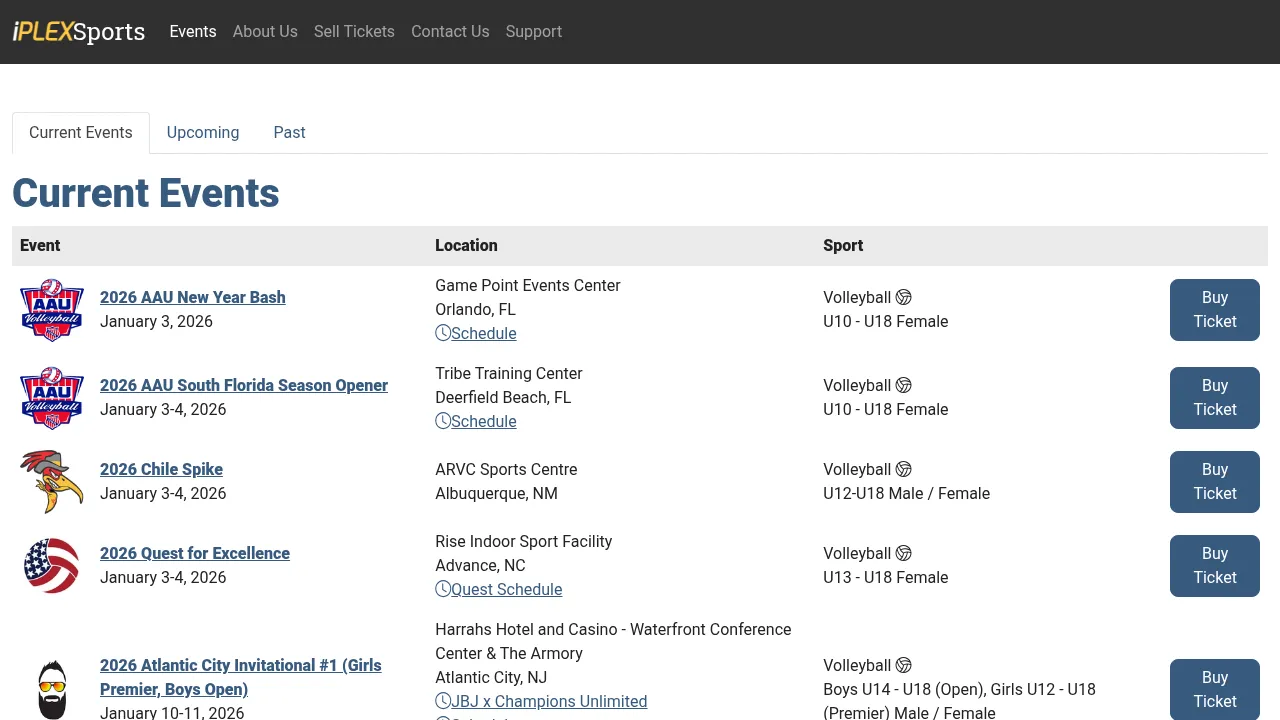
iPlexSports is an online ticketing solution focused on sporting events that allows organizers to sell electronic tickets, deliver them to Apple/Google Wallet, and scan them via QR codes at entry. It focuses on simple setup and mobile ticket distribution for events ranging from local games to large tournaments.
Key Features
iPlex Sports has a number of key features as it relates to placing sponsorship logos on digital tickets:
- Custom Event Pages: Organizers can have event pages built or customized, which may allow inclusion of sponsor branding and imagery visible in the ticket purchase process.
- Digital Ticket Delivery: Tickets delivered to mobile wallets and email can include event branding elements that could be adapted to include sponsor visuals, depending on setup.
- QR Code Scanning: Tickets include scannable QR codes for entry, and the surrounding ticket layout can be styled with graphics that may include sponsors.
- Image Integration on Pages: Event pages support graphics and pictures, which organizers can use to feature sponsor logos pre-purchase.
- Support-Assisted Customization: Higher service tiers include custom page setup by iPlexSports staff, offering potential for tailored sponsor logo placement on associated content.
Limitations
- No Native Ticket-Logo Field: iPlexSports does not offer a dedicated, built-in option for placing sponsor logos onto the ticket itself delivered to attendees.
- Limited Ticket Design Tools: The platform lacks advanced ticket design features for precise layout control of sponsor graphics on the actual ticket artifact.
- Manual Customization Required: Any sponsor branding on tickets typically depends on manual image inclusion or custom page design instead of automated ticket branding workflows.
- Inconsistent Visual Placement: Sponsor imagery that appears on event pages may not translate consistently to how the ticket looks in mobile wallets or print formats.
- Sport-Centric Focus Over Branding: The product focuses on ticket delivery and scanning for sports events, meaning sponsor logo support is more incidental than a core feature.
Bottom Line
iPlexSports is a practical, sports-focused ticketing platform that makes possible online sales and mobile delivery of event tickets with basic customization around event pages and branding. While organizers can include sponsor logos into associated pages and promotional areas, the platform does not provide dedicated or advanced tools for placing sponsor logos directly and consistently on the digital ticket itself, making it better suited for ticketing at sporting events instead of sponsor-branding ticket programs.
Side-by-Side Comparison
The table below isolates the specific capabilities that determine whether a ticketing system can generate sponsor revenue. Only one solution supports native sponsor injection on wallet passes.
Why Fastbreak AI Is the Only Solution Built for Sponsor Monetization on Digital Tickets
Every digital wallet ticket reaches a captive audience that checks their phone multiple times before your event. Sponsors spend over $33 billion annually on sports marketing, but most of that budget goes to broad awareness campaigns with difficult attribution. Wallet ticket placement delivers guaranteed impressions with trackable engagement through embedded coupon codes and links.
You already issue tickets. The question is whether you're capturing revenue from that inventory. Most ticketing providers don't support sponsor injection. Fastbreak built Easy Event Tickets to solve this gap, using the same infrastructure that powers operations for the NBA and NHL.
The capability exists. Either you monetize your ticket inventory or you leave that revenue uncollected.
Final Thoughts on Digital Ticket Branding for Tournament Operators
Digital tickets stay on phones for weeks, generating repeat impressions long after your event ends. Ticket wallet advertising turns that visibility into revenue without adding more work. Sponsors get trackable placement, you get predictable income from inventory you already distribute. The infrastructure exists if your provider supports native sponsor injection on wallet passes.
FAQ
How Do I Choose the Right Ticketing System for Sponsor Monetization?
Start with one question: can the system place sponsor logos and promotional content directly onto digital wallet passes? If the answer is no, you can't generate sponsor revenue from ticket inventory. Then check whether it integrates with your scheduling and registration tools so you're not managing multiple disconnected systems.
Which Ticketing Platform Works Best for Small Tournaments Versus Large Multi-Day Events?
Small single-day events can survive on basic systems like TicketSpice or TicketLeap if you're only focused on cutting transaction fees. Large multi-day tournaments need sponsor monetization, offline scanning for remote venues, and integration with housing and scheduling. That requires a system built for sports operations, not generic event ticketing.
Can I Add Sponsor Content to Tickets After They've Already Been Issued?
Only if your ticketing system supports real-time updates to wallet passes. Fastbreak pushes sponsor content changes to existing tickets immediately, so if a brand signs two days before your event, every issued ticket reflects the update. Most ticketing providers require you to reissue tickets manually, which kills scalability.
Why Don't Most Ticketing Systems Support Sponsor Logos on Wallet Passes?
Most ticketing providers built their systems for concerts, fundraisers, or school compliance, not sports revenue generation. They treat tickets as access control tools instead of monetizable inventory. Sports tournament operators need different infrastructure because ancillary revenue determines whether you raise registration fees or grow profit margins.


